Mental Tricks in UX Design: Illusion of Control
People need to feel in control, even when they aren't. Placebo buttons, busy progress screens and other ways design creates the illusion of control.

Do you believe in destiny? Do you control your life, your decisions, your surrounding? Just imagine a scenario: scientists have invented the machine that knows the future down to the last detail, and it’s beyond your power to change it. What would you feel?
Well, personally, such thoughts send shivers down the spine… According to the statistics, 54% of people would not take pilotless flight, and 39% would never get a car ride accomplished by the autopilot system.
The thing is that we love to keep control on our living. We want to rule life events and the world around us. It`s in our DNA and, in fact, a matter of evolution as we have been continuously subordinated the world, energy, and space around.
Down to the present, we are still strongly influenced by so-called “omnipotent control” — an unconscious belief that we can affect the environment. This particular underlying psychological process causes anxiety when we are not able to predetermine course of life, and rewards us when we have our being well in hand.
How to Use Illusion of Control in Design?
As users, we like to get an instant system response to all our actions. We are nervous when the system we interact with, whether it’s an app or a website, doesn’t respond quickly. And do you know why? That’s because we don’t feel that we control it. In most cases, such issue can be easily fixed. But very often we face technical restrictions: slow Internet, extensive data, computational complexity.
As users, we like to get an instant system response
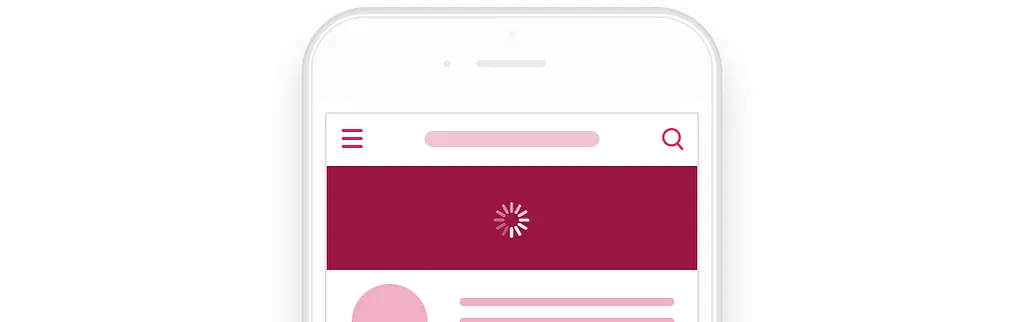
The most common solution is the loading screen. It keeps us waiting, but at least we understand what’s going on — loading is in progress. But it’s still not an ideal scenario we want to deal with as people by their nature is impatient and they just hate to wait. Let’s face the truth. We do not care about technologies and complex processes — we expect the result, the sooner, the better. And if the opposite happens, we will strive to find the interactive elements on another tab, browser window, app or service which seems to be more responsive.

In such situation illusion of control comes in handy. We should give users interactive elements and do not limit them, even if it seems to be rational. That perceived feeling of control of the system will cause user’s satisfaction. They also will sense some degree of comfort even despite the fact they can’t influence the process.
Give users interactive elements and do not limit them
So, how to induce the illusion of control? How to make the users feel it? Let’s investigate a couple of methods.
Method 1: Placebo Buttons
I bet you’ve heard about placebo buttons like “push to cross” on crossroads of Manhattan, “close doors” buttons in elevators, and fake office thermostats. Sounds like an urban legend, doesn’t it? Nope. Placebo buttons is a useful tool that you can use in design.

More than 2500 from 3250 crosswalk buttons in New York has been served as placebo buttons
Let’s see how it works on a couple of examples. Having in place modern technologies, the usage of Gmail “Refresh” button and “Pull-to-Refresh” button in a mobile client can save us a couple of seconds. In fact, e-mail is delivered from a server almost immediately even without this action. But we keep refreshing the list again and again. That’s because we have a feeling as if we speed up the email delivery.
NB! Remember that the perception of each generation is different.
Every generation brought up a comfortable balance between automation and control. For example, I, a representative of Generation Y, used to work with an imperfect software during the times when the autosave function was working slowly. So, I’ve lost the data very often due to the critical app failure, interruption of the Internet connection or other troubles. That is why I am attuned to the necessity to save my work results.
Recent research shows that Centennials (Generation Z) are more used to autosave function — this is because, unlike me, they haven’t experienced an outdated, slow software. In other words, they just don’t have any reasons to distrust the system. Herewith, I entirely rely on the automatic gearbox, while my father, representative of Generation X, prefers a manual gearbox because “he doesn’t have a feeling of control”.
Method 2: Incoherent Controlled Process
We don’t like to wait: the idle time is felt more lengthy as compared with the time when we are about doing something. From this perspective, mirrors are installed in the elevators. Of course, mirrors do not speed up the “ride”, but such a gimmick makes us feel engaged. A similar method we can also implement in UX design of the systems.

There were no mirrors in the old elevators
A system can offer an interactive, but most importantly, an exciting process which is not related to the primary actions. It allows to keep the users within the whole process and make them get back for results. So, the users get a power of control and feel a significance. They just do not wait until the process is over.
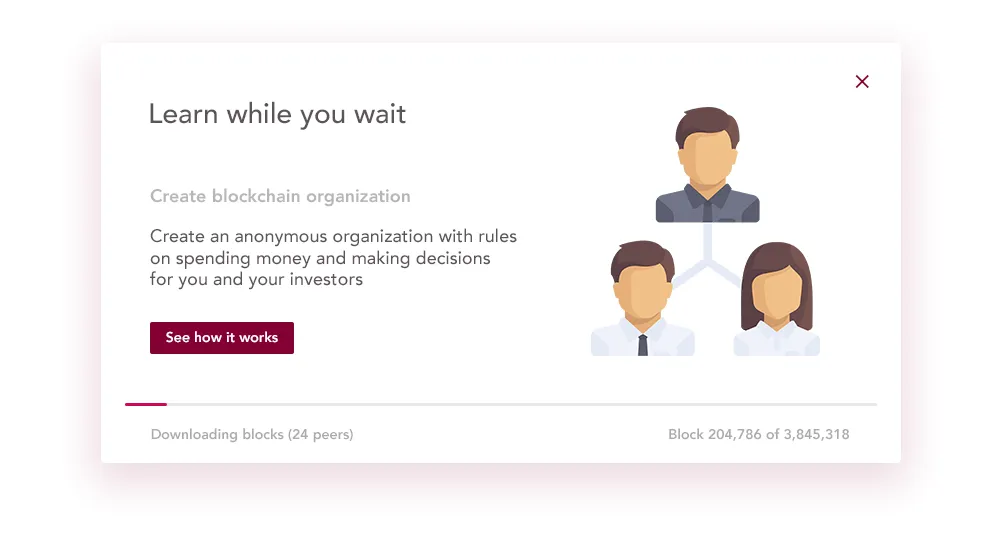
A tutorial with the interesting facts about the system is an excellent example.
Another spectacular example is a questionnaire. This process restrains the users and allows to collect the information you are interested in!
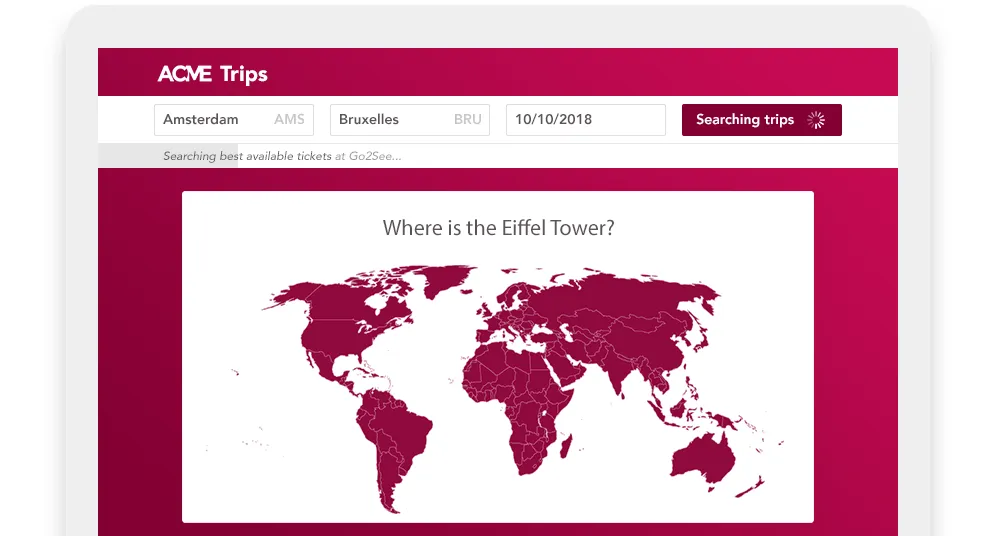
There are plenty of controlled processes variants: from non-interactive prompting messages to mini-games. It is essential to choose an exciting and simple means to engage the users. It should be relevant and at the same time could be terminated at any time.
NB! Using this instrument, we should remember that the incoherent process shouldn’t be terminated unexpectedly when the primary process is over. Sometimes such scenario brings more dissatisfaction than the waiting time itself.
Method 3: Redundant Actions
One more method to implement Illusion of Control is providing a user a possibility of the redundant, from a technical point of view, actions. The usage of a button duplicate can be a relevant example.
Let’s imagine a standard dialog window requesting the confirmation of any action. Here, in fact, the user can perform three but not two steps. Aside from usual “Cancel” and “Confirm” buttons, there is a button in the form of the “X” meaning that “I don’t want to make a decision” and closes the dialog window. “Cancel” button and “X” button duplicate the functionality, namely, reversion to the previous system state.
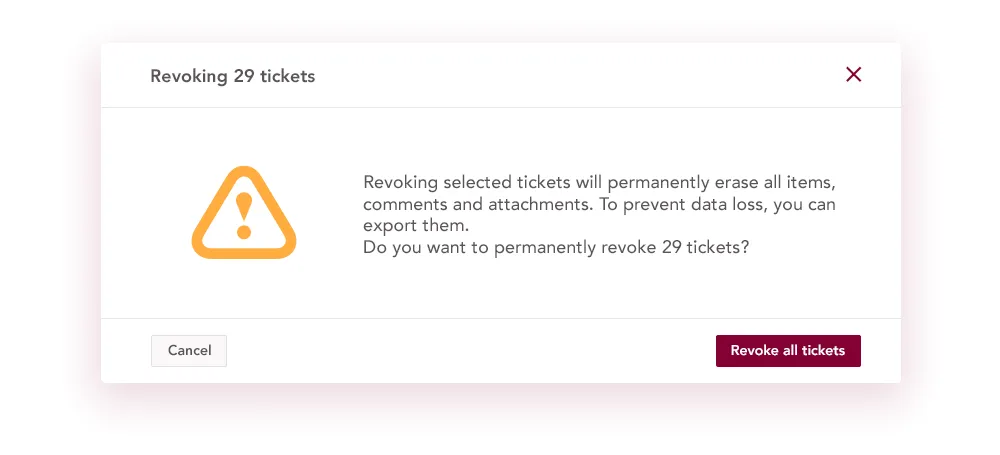
But psychologically those actions are different. “Cancel” means that the user disapproves an action and make a decision not to continue the process. Dialog closing means that the user is hesitating and doesn’t want to make a decision. And if you limit yourself to only one option, in this case, the user will feel a discomfort: removing “Cancel” button, you don’t offer a choice to deny, but removing the “X” button, you take away a possibility not to make a decision, to keep a status quo.
NB! A lot of control elements can cause a reverse effect: the users might have some difficulties when it comes to choosing which one to use from the very beginning. A detailed description of this issue you can find in the article about duplicate links written by Hoa Lorangen, VP of Nilsen Norman Group.
BONUS: Can’t Evoke Illusion of Control? This is what you should do
Yep, sometimes it happens. In this case, a positive user experience lays in counteraction of negative effects caused by the expectancy. So, how to achieve that? Consider the following steps:
- Build the best loader ever. Even if you do not have control over something, you think highly of predictability which means the well-thought-out process of loading. You can find more related information in the articles of Think 360 and Nielsen Norman Group studios.
- Use a system as a cover-up. The vast majority of services and programs is working in some environment whether it be a browser or an operating system. In fact, you can use the same loader as the system does. As a result, a negative user experience will be related to a system fault, not on service!
- Design an eye-catching animation. You can take away the user’s attention by some visually pleasing effects. That way, you shift the focus from the expectancy to something else. Animation meets the case in the best way possible for this purpose. Here is an example:

Brilliant animation by Christian Tailor
Take Away
- A feeling of control is essential to each of us. It is even more important on intuitive rather than on logical level. Sometimes, providing this emotion to the users is more critical than a control itself.
- Designing a user experience, we can provide the feeling of control by a set of useful tools.